year
2023 - 2023
client
pianoroll.ai
project
Web application
role
Engineer
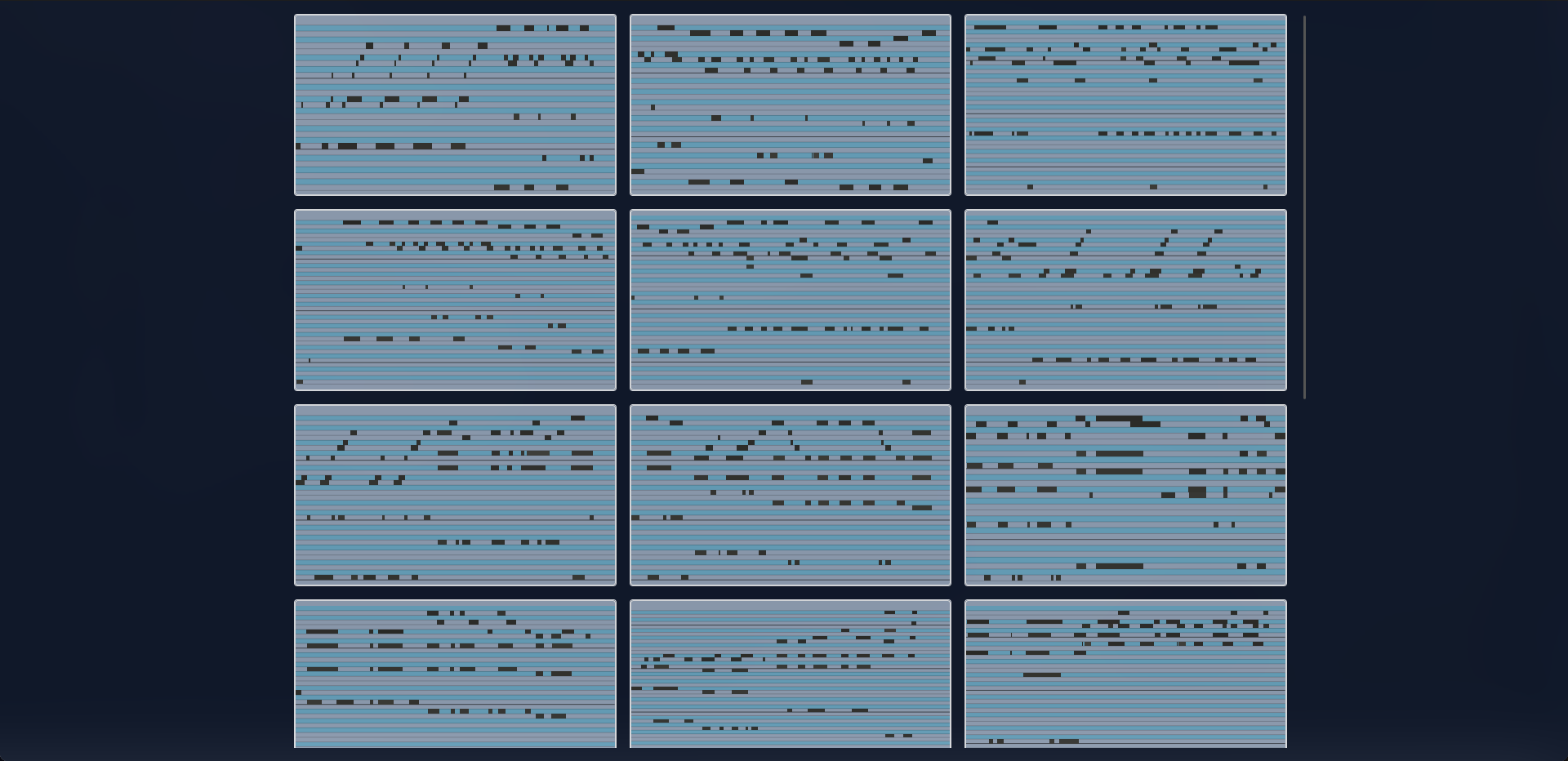
Task
So, one sunny day of 29th october I got a message in LinkedIn. That was kinda strange to get a message to that platform instead of a email message, but anyway. That was a cool guy name Tomek from Pianoroll.ai company and he suggested me a task of making a web app to represent AI-generated piano notes for their frontend developer position. I got really interested in that task, because it was not a some silly quiz or "write me down a form using react" lame stuff, so I started right away.
Problems
After checking the technical requirements, I've compiled that list:
Basic layout: Technical requirements suggested us to use YouTube like layout with 3 columns of content. So I've made a 3 column layout, simple enough, but I added a little sprinkle on top of it, that will be unleashed in few minutes.
Main view: Since we had to replicate a YouTube style, we had to make a video layout too. Wasn't that hard as I thought. Simple 2/1 relations.
Visual response: By the technical documentation, every step should be properly visualized for UX purposes.
Range component: Simple enough, I had to make a double range component to select cuts on pallete of notes.
Solving
So, first I've made a simple layout using grids. In tech. docs was shown a layout with 3 columns, so I've made a 3 columns, as simple as that, nothing interesting yet.
Second one, Main View. I had a sketch how that main view should look like, basically YouTube, so there is nothing interesting either. But, actually, there is. Since I already knew, that there should be 3 columns, I chose relation 2 columns to 1 in main view and was more the satisfied and here is the trick, that I used. Since I know the layout should be dynamic (I mean there should be some UX response to user), I managed to control the width of list and main view layout elements and shrink them whenever I want. So, actually, there was a 2 containers. First one is width of 0, if there is no notes selected, and second one, that represents the list itself and has a layout of 3 columns. Here is where magic happends, so user clicks on a card, and that invokes the callback function with card data and since I already have a references for each container, that I described, I can shrink the list component and visualize the main view container with provided data. By doing that, I can easily achieve the select animation, when list layout shrinks after click and main view being rendered.
Three! So, I already made a little bit of animations, but it wasn't that good looking. I scavanged the internet for some good ideas, but unfortunately didn't find anything cool, so after a few hours the idea came to me by herself, maybe I should implement a floating card animation? And that idea was right on the money. So, since I already have a information about clicked card, that means I can easily query the card itself and get it's rectangle values. I just re-used data of each card element and generated a new one.That's it, I just queried the bounding client rect and used absolute position for overlap and provided start-end coordinates and timing, when the floating card should be unmounted. Then I just delayed the actual notes card render and my work with layout was done.
Four! The finale. As I said, the company that I was trying to get hired for was a AI-piano notes, so I had to make a double range selector for it. That task took more time then I thought. Firstly I tried to make a 2 states with left and right pointers, but that idea was born dead. I can set left and right positions while moving the mouse, but I couldn't make a selector from right to left, because first click was setting only left position. So, I wen't to school and couldn't stop thinking about that task. Eventually, my school textbook became an IDE and, literally, 20 minutes after from the start of a class, I came up with the idea of setting 2 pointers and just getting the lowest and highest one for carets and that idea worked like a charm, so, yeah, Google boys feel free to reach me.
Results
Finally, the work was done. For the whole application I had a one week deadline and I did everything on time. Truthfully speaking, I wasn't satisfied with the optimization side of that app, because I initialized the project using Vite, but didn't had a lot of experience with it and I needed some server-side-generation. Obviously, I didn't want to spend the entire week getting know that Vite SSG thingy and just migrated that app to NextJS. Thanks to Vercel team, SSG is embedded into framework and I started to refactor my code right away. There is not much to describe, I utilized SSG for API calls which made my application a half-second faster on the first load and wrapped cards into meaty memo() function which made my app 10 times faster, sheeesh! I moved the notes drawing process from client to server on the first load with API calls and that's it, application was finished, at last! I went down from aproximately 70-90ms of rendering to 10-15ms, pretty neat, huh? Here is the repo, if you interested: Piano notes!.
NextJS
Eslint
Prettier
Tailwind
Framer-motion
NextJS
Eslint
Prettier
Tailwind
Framer-motion